What a direct executable download scam is
A direct executable download is a file that runs code the moment you open it, rather than a document or webpage you simply view. That distinction is the entire scam. When the file arrives from an untrusted domain, a search ad, or a pop-up rather than an official app store or the software vendor's own site, running it can install malware without any further action from you.
The pattern works because the download itself looks ordinary. It is often named after a familiar program, an update, or a codec, and the page hosting it is built to look like a legitimate download portal. The difference between a safe installer and a malicious one is not visible from the icon or the filename. It comes down to where the file actually originated.
What we found in 12 sites we analysed
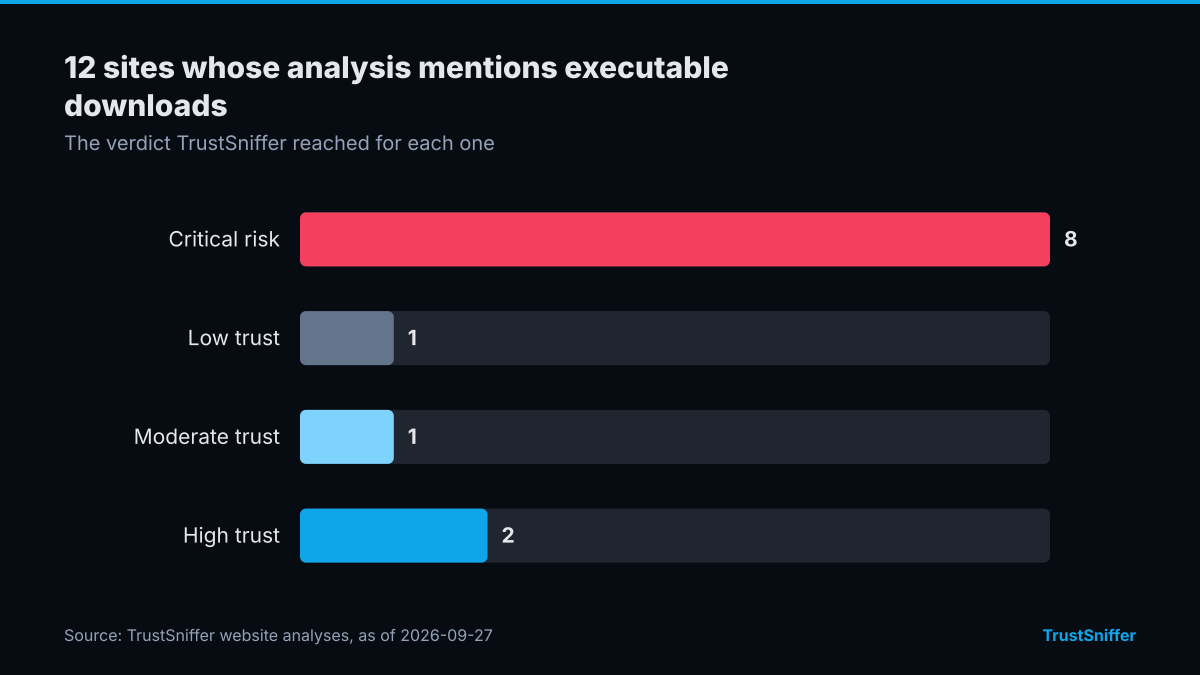
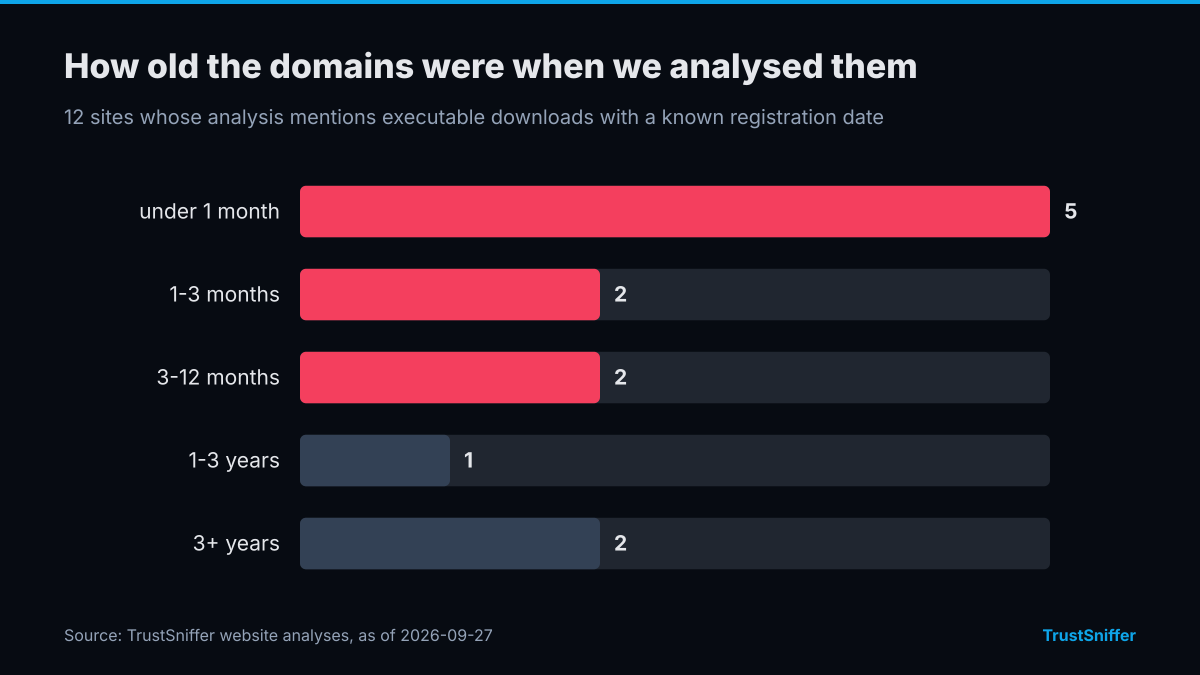
TrustSniffer has analysed 12 sites whose analysis mentions executable downloads. 9 of them (75%) were rated critical risk or low trust: 8 critical risk, 1 low trust, 1 moderate trust, 2 high trust. 9 of the 12 with a known registration date (75%) had a domain under a year old when we analysed it, and the median age was 2 months.
10 of 12 (83%) were already flagged by at least one VirusTotal engine when we checked.
Some of the sites we analysed, each linked to its full report:
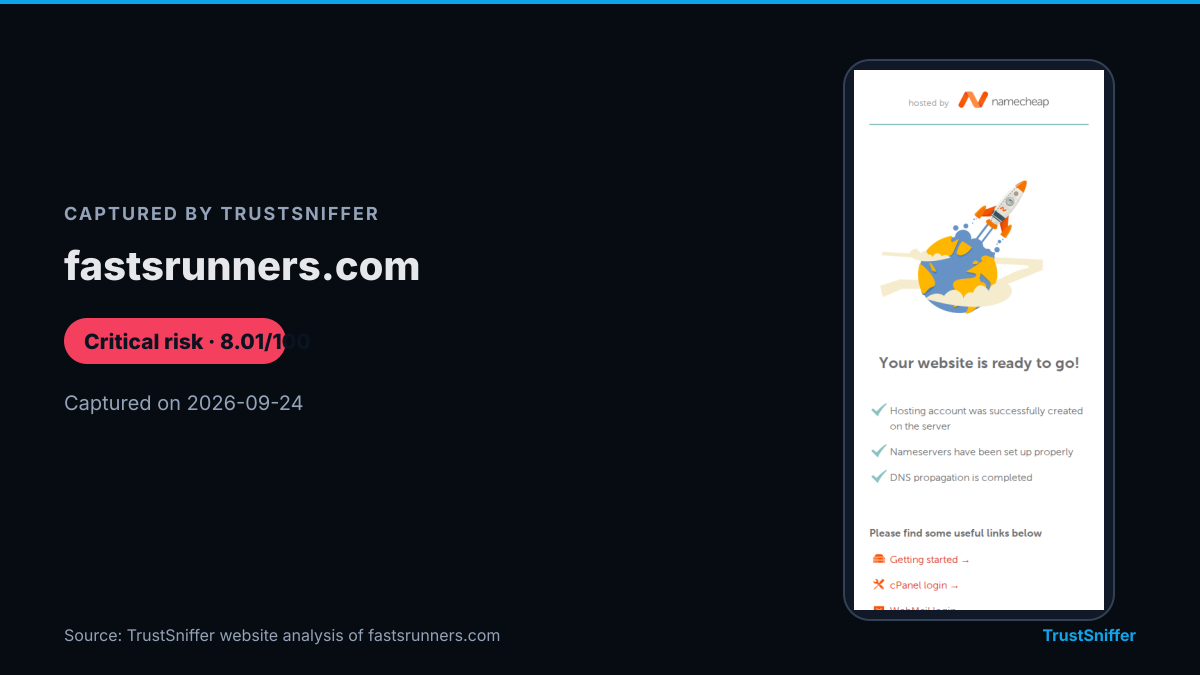
- fastsrunners.com: rated critical risk (8/100), domain under a month old when analysed.
- kupunasvolpiano.com: rated low trust (25/100), domain 1.0 years old when analysed.
- bratarfood.com: rated critical risk (0/100), domain 2 months old when analysed.
- makemewin.club: rated critical risk (10/100), domain 6 months old when analysed.
How it works in practice
Most cases follow a similar sequence. A search ad, a forum post, or a pop-up claims you need to download a player, driver, or update to continue. Clicking through leads to a page that pushes a single executable file, often with urgent language about a missing plugin or an out-of-date system. The file itself may be a genuine-looking installer wrapped around a hidden payload, or it may run the malicious code directly on execution.
Some versions bundle the malware with software that appears to work normally, so the victim sees no obvious problem while the hidden payload runs in the background. Others skip the disguise entirely and rely on urgency, a countdown, a warning, a fake error, to get the file opened before the user stops to check where it came from.
Warning signs to look for
None of these signs is proof on its own, but several appearing together on the same download page is a strong reason to stop before running the file.
- The download link sits on a page reached through an ad, a redirect, or a message rather than the software publisher's own domain
- The site pressures you to act immediately, with a countdown, a warning about an infected device, or a claim that a plugin is missing
- The filename or icon references a well-known program, but the domain hosting it has no visible connection to that program's actual publisher
- The browser or operating system flags the file or the site with a security warning that the page tells you to ignore or bypass
- The download page offers only a direct file rather than linking to an official app store or a verifiable vendor release page
What to do if you are targeted
If you have not yet run the file, delete it without opening it and close the page it came from. If you already ran it, disconnect the device from the network, run a full scan with updated security software, and change passwords for any accounts you accessed from that device, ideally from a separate, unaffected device.
Before downloading anything you are not certain about, check the hosting domain with a website checker rather than judging it by appearance alone. It is worth building that check into your routine for any site that pushes a direct file download rather than linking to an official store, since the underlying pattern shows up repeatedly across otherwise unrelated domains.
How TrustSniffer checks for this
TrustSniffer has published analyses for 5255 websites, examining the kind of domain and hosting patterns that show up around direct executable downloads. That same first-party analysis extends to cryptocurrency wallets, with 17282 wallet addresses assessed to date, reflecting how often download-based malware is paired with attempts to move stolen funds.
The current findings across both areas are summarized on the Risk Index, which gives a broader picture of where risk is concentrated at any given time. If you want a verdict on a specific domain before you download anything from it, the same website checker used to build that dataset is available to run on demand.